How Sleep Cycle Tracking Identifies Optimal Nap Windows
Sleep cycle tracking identifies your lightest sleep phases using heart rate, movement, and breathing patterns, so you can wake up alert instead of groggy. Devices like smartwatches and sleep headbands monitor these stages in real time, while apps use the data to suggest ideal 10–20 minute nap windows. Syncing wearables with apps improves timing by learning your rhythm over days. Most offer trial periods and sync with health platforms, helping you make informed choices-there’s more to discover about fine-tuning your rest.
Notable Insights
- Sleep cycle tracking monitors brain waves, heart rate, and movement to detect light sleep phases ideal for napping.
- Devices identify optimal nap windows by analyzing personal sleep patterns and daily energy dips.
- Smart alarms use real-time data to wake users during light sleep, reducing sleep inertia.
- Tracking tools learn circadian rhythms over time to predict the best napping times for alertness.
- Apps sync with wearables to provide feedback and adjust nap recommendations based on sleep quality trends.
What Causes Groggy Naps?
While you might expect a nap to leave you feeling refreshed, sometimes you wake up groggy and disoriented-especially if you’re waking up during deep sleep. This grogginess, known as sleep inertia, can last minutes or longer, depending on your caffeine timing and stress levels. If you consume caffeine too late, it can delay your ability to enter lighter sleep stages, making abrupt awakenings more jarring. High stress levels also disrupt sleep architecture, increasing the chance you’ll descend too quickly into deep sleep. Nap tracking tools help identify lighter sleep phases, reducing the odds of interrupting deep cycles. Devices with sleep stage estimation use heart rate and movement to suggest wake-up windows. Some offer trial periods, so you can test how well timing aligns with your rhythm. Watching caffeine timing and managing stress levels improves nap effectiveness, letting you wake up clearer, not cloudier. Popular options like the best sleep trackers provide detailed insights into your sleep patterns to optimize nap timing.
Light vs. Deep Sleep: What Happens When You Nap
Why do some naps leave you sharp while others leave you sluggish? It comes down to sleep stages and your brain waves. When you nap, your body cycles through light sleep first, where brain waves slow slightly and relaxation sets in. This stage is easy to wake from, leaving you refreshed. Deeper sleep follows, with much slower brain waves and harder arousal. If you nap too long and enter deep sleep, waking mid-cycle causes grogginess. Sleep tracking tools monitor these patterns, helping identify when you’re in light sleep-ideal for a quick boost. Understanding your body’s natural rhythm lets you time naps that align with beneficial sleep stages. You’re not just resting; you’re working with your biology. Short naps typically avoid deep sleep, making them safer for alertness. Tracking gives data to test what works, often with trial periods available. Some devices offer accurate insights without requiring ongoing payments through sleep trackers without subscriptions.
When to Nap for Maximum Energy
You’re more likely to feel refreshed from a nap if you time it with your body’s natural rhythms. Nap timing plays a key role in syncing with your energy peaks, which usually dip early afternoon, around 1–3 p.m. That’s when your core temperature drops slightly, signaling a natural window for rest. A short nap-10 to 20 minutes-taken during this time aligns with lighter sleep stages, helping you wake up alert. If you nap too late or too long, you risk entering deep sleep and waking up groggy. Sleep cycle tracking helps identify your personal dip in alertness so you can plan accordingly. Matching your naps to these daily energy peaks supports better focus and mood without disrupting nighttime sleep. It’s a practical way to restore stamina, especially if you’re managing fatigue or irregular schedules. Consistent nap timing enhances long-term energy patterns. A best sleep-optimizing fitness tracker can precisely monitor your sleep cycles and alert you to ideal nap windows based on your unique physiology.
Wearables That Track Your Sleep Cycle in Real Time
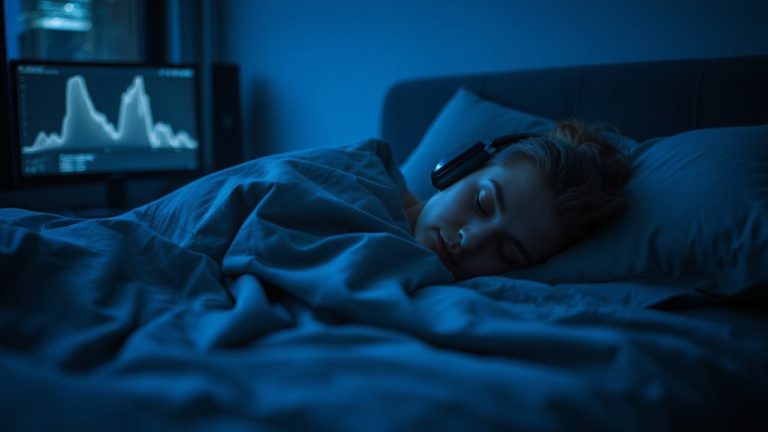
If you’re looking to understand your sleep patterns more deeply, wearable devices that monitor your sleep cycle in real time can give you actionable insights. These wearables track your sleep stages-light, deep, and REM-using sensors that capture heart rate, movement, and breathing patterns. You’ll receive biometric feedback that highlights rest quality and disturbances throughout the night. Devices like smartwatches and sleep headbands are lightweight, designed for comfort, and often include long battery life and water resistance. Most sync with mobile platforms to display trends over time, helping you spot inconsistencies linked to fatigue or sleep disorders. Many offer trial periods and warranties, so you can test comfort and accuracy risk-free. While not medical-grade, they support better decisions about sleep routines or when to consult a specialist.
Best Apps for Timing Your Nap
Ever wonder when the ideal time to nap really is? Apps like SleepCycle, Pzizz, and NapBot use sleep cycle tracking to pinpoint ideal nap windows based on your typical patterns. You’ll benefit from features designed to boost app accuracy, such as smart alarms that wake you during light sleep. These tools let you set a preferred nap duration-whether it’s 20 minutes for a quick refresh or 90 minutes to complete a full cycle. Most apps sync with wearables for better precision and adapt over time. They’re easy to use, with free versions available and premium upgrades offering deeper insights. Some include soothing audio to help you drift off faster. While results vary, consistent use improves reliability. If you struggle with timing or sleep quality, trying one of these apps could help identify what works for your body, supporting better rest without medication or major habit changes.
How to Sync Naps With Your Sleep Data
How can you make sure your naps align with your body’s natural rhythms? By syncing them with your sleep data, you support circadian alignment and work with your sleep architecture instead of against it. Review your tracking app’s insights to identify recurring patterns in your deep, light, and REM stages. Most adults hit a natural dip in alertness 6–8 hours after waking-this is your ideal nap window. Schedule short naps (10–20 minutes) during this time to avoid deep sleep disruption. If you’re consistently tired, longer naps may help, but aim for 90-minute cycles to complete a full sleep stage. Use your device’s historical data to test timing adjustments over a week. Consistency improves results. Most apps allow export of sleep logs, which can aid discussions with healthcare providers if fatigue persists. Tools with sleep stage estimation use heart rate and movement data-accuracy varies, so compare trends over time rather than single readings.
Wake Up Refreshed: Avoid Sleep Inertia
Why do you sometimes wake up feeling groggy, even after a full night’s sleep? That grogginess, called sleep inertia, often happens when you wake during deep sleep instead of light sleep. Tracking your sleep cycle helps you dodge this by timing wake-ups to align with lighter phases. Your circadian rhythm plays a key role-it influences when you feel alert or drowsy. When you sync naps and sleep times with this internal clock, you boost sleep quality. Devices that monitor your sleep stages can alert you when to nap or wake, using motion and heart rate to guess your phase. Some apps even offer smart alarms that vibrate gently during ideal windows. These tools usually come with trials and warranties, so testing them is low-risk. Using data like this helps you make smarter sleep choices without relying on pills or extreme changes.
On a final note
You can avoid groggy naps by timing them with your sleep cycles. Track light and deep sleep using wearables or apps that detect your patterns in real time. Aim to nap during lighter stages, usually between 1–3 p.m., for 10–20 minutes. Syncing naps with your data helps reduce sleep inertia. Try devices with sleep staging and set alerts-many offer free trials and solid warranties. Test options to see what fits your routine.