Sleep Apnea Apps: What They Track and Their Limits vs CPAP
You can use mobile apps to track your breathing and sleep patterns through your phone’s microphone or by pairing with wearables. They detect irregularities and offer feedback, but they don’t treat sleep apnea like CPAP machines do. Look for apps with clear interfaces, breathing exercises, and data syncing. While they help you understand your habits, they work best alongside medical advice-explore your options to see what supports your routine.
Notable Insights
- Mobile apps can monitor sleep and breathing patterns using smartphone sensors or connected wearables for passive tracking.
- They provide insights into sleep stages and breathing irregularities but lack medical accuracy for diagnosing sleep apnea.
- Apps support breathing improvement through guided exercises like diaphragmatic and paced breathing with visual or audio cues.
- Integration with wearables enhances data precision and enables long-term trend analysis for better sleep management.
- These apps complement, but do not replace, CPAP therapy and require medical guidance for treatment decisions.
How Sleep Apnea Apps Track Breathing and Sleep
While you sleep, many sleep apnea apps use your smartphone’s built-in sensors or connect to external devices to monitor your breathing patterns and sleep quality. These apps rely on breathing detection to identify pauses or irregularities, often using sound or motion tracking to sense disruptions. They also perform sleep staging by analyzing movement and breathing to estimate light, deep, and REM sleep phases. Some apps pair with wearable bands for more accurate data, while others use only your phone’s microphone and accelerometer. Performance varies-phone-only options are less precise but easier to use. Most apps offer trial periods, letting you test features before committing. Warranties usually don’t apply, since they’re software-based, but customer support can help with setup. You can review nightly reports, track trends, and decide if further evaluation or tools might be helpful. They don’t treat apnea, but they can guide your next steps.
Can Sleep Apnea Apps Replace CPAP Machines?
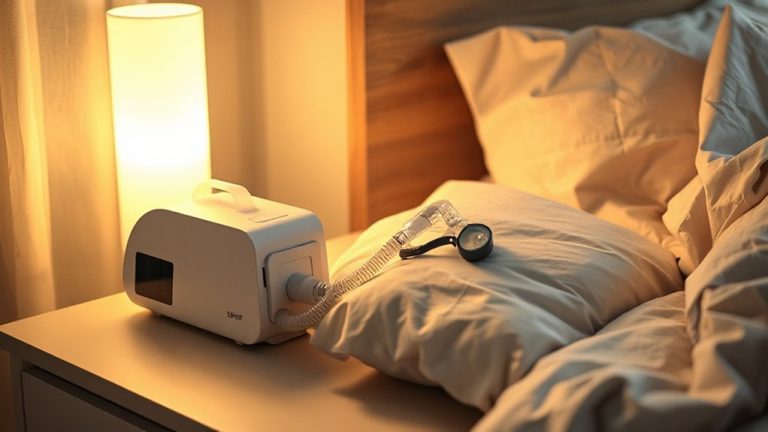
Could an app really stand in for your CPAP machine? While sleep apnea apps offer helpful tracking and breathing guidance, they can’t deliver the pressurized airflow that CPAP devices provide. You should know that apps come with device limitations-they rely on smartphone sensors or wearables, which may not match medical-grade accuracy. They also don’t treat obstructive sleep apnea the way CPAP does by keeping your airway open. For now, apps are better suited as complements, not replacements. Medical oversight is essential when considering any change to your treatment plan. Doctors can help you interpret app data and guarantee your therapy remains effective. Always consult a sleep specialist before making shifts, especially if you rely on CPAP. Your health needs reliable, proven solutions backed by professional guidance.
Key Features in Effective Sleep Apnea Apps
What should you look for in a sleep apnea app that actually helps? A clean, intuitive user interface makes it easy to navigate sleep data, set goals, and track progress without confusion. You’ll want real-time feedback on breathing patterns and sleep quality, plus customizable alerts to adjust habits early. Reliable apps protect your health information with strong data privacy measures, including encryption and clear consent policies, so you control who sees your results. Integration with wearable devices improves accuracy, while cloud syncing lets you share reports with your doctor securely. Look for apps tested in clinical settings, offering a free trial or money-back guarantee-this lets you assess performance before committing. Though they don’t replace CPAP therapy, well-built apps can support long-term management when features are practical, private, and backed by evidence.
Breathing Exercises in Sleep Apnea Apps: What Works
How often do you wonder whether the breathing exercises in sleep apnea apps actually make a difference? Some do help, especially when they include proven techniques like diaphragmatic breathing and paced respiration. These methods train your body to breathe more efficiently, which can reduce sleep apnea symptoms over time. Diaphragmatic breathing strengthens the diaphragm, helping air flow deeper into your lungs, while paced respiration guides you to slow your breath, promoting relaxation before sleep. Apps that offer timed visual cues or voice prompts make it easier to practice consistently. Most provide short sessions, around 5–10 minutes, fitting easily into a nightly routine. While results vary, regular use shows modest improvements in breathing control for some users. It’s worth trying an app with a free trial to see how well you respond, but don’t rely on it alone for severe cases.
Sync Your Sleep Apnea App With a Wearable Device
Why not get more from your sleep apnea app by linking it to a wearable device? Syncing allows continuous tracking of your breathing patterns, heart rate, and sleep stages through the night. This boosts data accuracy by capturing real-time physiological changes, giving you clearer insight into your sleep health. Just make sure your wearable supports device compatibility with your chosen app-check the app’s settings or support page before syncing. Most modern smartwatches and fitness trackers work seamlessly, but older models might lack full integration. Once connected, you’ll see consistent updates, so you can spot trends and share reports with your doctor. It’s a practical step that improves monitoring without extra effort. While results can vary, consistent use offers a more complete picture. Try it for a few nights to see how well it works with your routine. For even better insights, consider using one of the best sleep trackers designed to monitor key rest indicators.
On a final note
You can use sleep apnea apps to track breathing patterns and improve sleep habits, but they don’t replace CPAP machines for moderate to severe cases. Look for apps with guided breathing exercises, data syncing to wearables, and clear reports on sleep quality. Most offer free trials, so test them before committing. While useful as a supplement, apps work best alongside medical treatments. Check warranty terms and device compatibility before use.