Minimizing Eyestrain From Screen Use Late in the Day to Preserve Dopamine-To-Melatonin Conversion Pathways
You’re keeping screens too late, and that blue light slows melatonin while holding dopamine high, delaying sleep. Use Night Mode to warm screen tones and reduce brightness, especially in the last hour before bed. Set a digital curfew for 30–60 minutes of screen-free wind-down time. Schedule downtime automatically to stay consistent. Over time, these steps support your body’s natural chemical shift-more rest, less strain. Better balance starts with small, repeatable choices tonight.
Notable Insights
- Use Night Mode to reduce blue light and support natural dopamine-to-melatonin transition in the evening.
- Enable automatic screen scheduling to shift color temperature and lower brightness at night.
- Implement a 30–60 minute digital curfew before bed to minimize circadian disruption.
- Wear blue light glasses if screen use is unavoidable to reduce visual stress and melatonin suppression.
- Schedule screen downtime and use usage tracking to reinforce consistent, sleep-friendly habits.
How Night Screens Keep You Awake
Why does staring at screens late at night make it so hard to fall asleep? Because blue light suppression from phones, tablets, or computers tricks your brain into thinking it’s still daytime. This cuts melatonin production just when your body needs it. You’re not just straining your eyes-you’re causing circadian rhythm disruption, shifting your internal clock off track. Over time, this increases the risk of sleep disorders like insomnia. If you must use screens, reduce brightness and switch to night mode filters, which lessen blue light exposure. Some devices have built-in schedules that automatically adjust color temperature after sunset. These features, combined with consistent bedtime routines, support natural sleep timing. Consider trial settings to test what improves your readiness to sleep. Warranties on blue light–filtering apps or glasses vary, so review options carefully. Small changes can make a noticeable difference in sleep quality.
Balance Dopamine and Melatonin for Sleep
Staring at screens late at night doesn’t just strain your eyes-it also skews the balance between dopamine and melatonin, two key players in your sleep-wake cycle. Blue light from devices tricks your brain into thinking it’s still daytime, delaying melatonin release and keeping dopamine elevated when it should be dropping. This hormonal imbalance disrupts your natural rhythm and can worsen sleep disorders over time. You don’t need to eliminate screen use entirely, but recognizing how dopamine and melatonin interact helps you make better choices. Instead of relying on sleep aids, consider adjusting screen brightness, using warm filters, or choosing devices with built-in blue light reduction. These small changes support your body’s chemistry naturally. Over time, maintaining this balance improves sleep quality. Performance isn’t about immediate fixes-it’s about consistent, informed habits that protect your long-term rest and eye health.
Set a Digital Curfew to Reset Your Brain
How much better might your sleep be if you gave your brain a chance to unwind before bed? Setting a digital curfew even 30 to 60 minutes before sleep helps reduce blue light exposure, which can slow melatonin production. Without this pause, continued screen use may lead to circadian rhythm disruption, making it harder to fall or stay asleep. Your brain needs time to shift from alertness to restfulness, especially after prolonged focus. By stepping away from devices, you support natural dopamine-to-melatonin conversion. This simple habit doesn’t require tools or cost-just consistency. Over time, it may improve sleep quality and reduce reliance on sleep aids. Think of it as maintenance for your internal clock. Trial the change for a week and note differences in how easily you drift off. A digital curfew isn’t strict-it’s a practical reset tailored to your routine, giving your brain the downtime it needs. Wearing best blue light glasses for migraines can also help reduce visual stress when screen use is unavoidable in the evening.
Turn On Night Mode and Adjust Brightness
You’ve already given your brain a better chance to wind down by setting a digital curfew, and now you can build on that progress by adjusting your screen settings during evening use. Turning on Night Mode reduces blue light, which can interfere with melatonin production and disrupt sleep cycles. Most devices let you schedule this feature, warming the screen’s color temperature automatically. Pair this with lowered brightness to minimize screen flicker, a subtle effect that strains eyes and may worsen headaches or fatigue. Flicker isn’t always visible, but dimmer, warmer screens reduce its impact. You don’t need complete darkness-just a balance that feels comfortable. These adjustments support natural dopamine-to-melatonin conversion without requiring sleep aids. Try different settings for a few nights; if you notice less eyestrain and easier sleep onset, you’ve found a useful routine. It’s a simple, reversible change worth testing.
Schedule Screen Downtime Automatically
While you’re already using Night Mode to reduce eye fatigue, you can take one more step by setting your screen downtime to start automatically. This guarantees blue light filters activate and your device dims at the right time, supporting natural dopamine-to-melatonin conversion. Most phones and tablets let you schedule this through screen time tracking settings, so your display shifts as evening approaches. You can set exact start and end times based on your routine, reducing the temptation to scroll late. These tools track usage patterns and can send reminders before downtime begins, giving you time to wind down. Automatic scheduling removes guesswork, especially on busy nights. It’s an easy, hands-off way to protect your sleep cycle. Combined with Night Mode, it improves conditions for rest without demanding daily decisions. Over time, consistency helps regulate your body’s chemistry, potentially reducing reliance on sleep aids.
Swap Scrolling for Calming Evening Habits
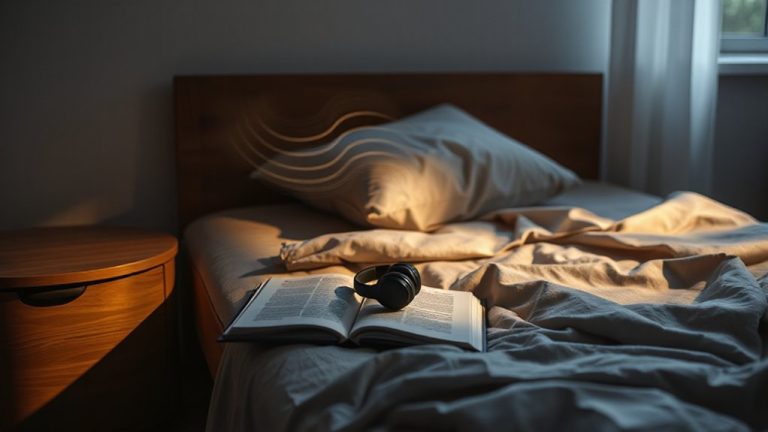
Since screens often pull you into late-night scrolling, replacing that habit with quieter activities can make a meaningful difference in how easily you fall asleep. Try reading books with dim, warm lighting instead of backlit screens-it eases eye strain and gently lowers mental stimulation. Drinking tea like chamomile or passionflower may support relaxation, though you should avoid caffeine after midday. These habits support your body’s dopamine-to-melatonin conversion by reducing blue light exposure and mental clutter. Unlike sleep aids, which can carry dependency risks, behavioral changes have few side effects and improve long-term sleep quality. Consider testing this routine for a week-consistency matters more than perfection. If sleep problems persist, consult a professional to rule out disorders. Simple swaps now can reduce reliance on medication later. A supportive sleep surface, such as a mattress with a best mattress topper for bed sores, can also enhance comfort during restorative rest.
On a final note
You can protect your sleep by limiting screen use at night, which helps maintain natural dopamine-to-melatonin shifts. Set a digital curfew, use night mode, and dim brightness to support this balance. Try scheduling automatic downtime or swapping scrolling for reading or light stretching. These adjustments are simple but effective, with no cost or side effects. Most devices offer built-in tools, often with trial periods or free access, making it easy to test what works best for your routine.